Quick Translate
Translate entered or selected text with optional dictionary details and usage guidance
How to use it
Use Quick Translate either from the translation tab on the Translate / Correct page or from a global shortcut.
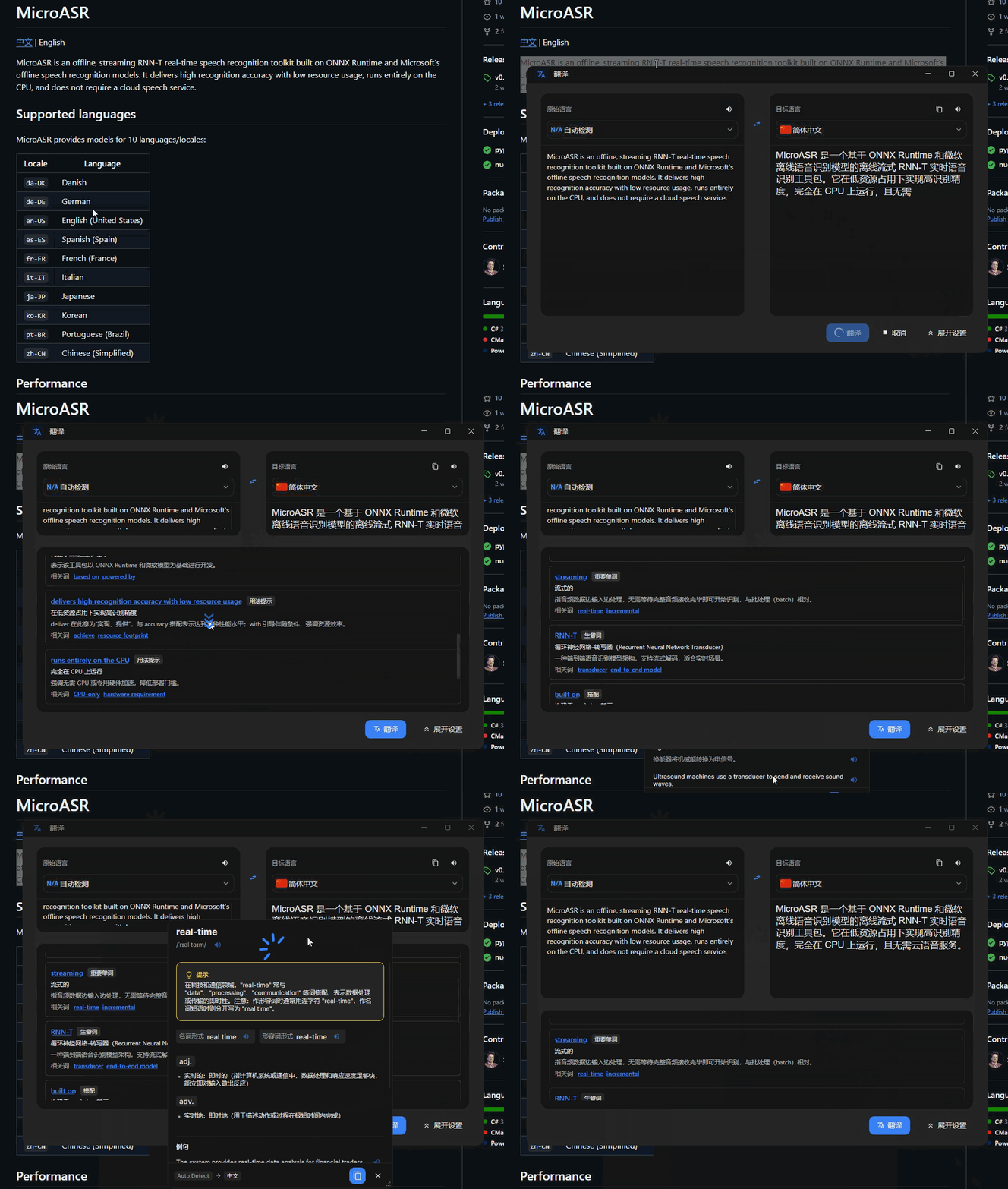
On the page or in the shortcut window, you can choose the target language and translation engine and enable Detailed notes. The detailed view can include meanings, collocations, key words, uncommon words, and usage tips, and requires an AI model.
Shortcut
- On the
Shortcutpage, add a shortcut for Quick Translate. EnableRead selected textif the shortcut should copy the current selection automatically. - Press the shortcut, then enter text or translate the selection loaded into the window.
Use cases
Translation from any application
Select text in a webpage, PDF, editor, or other application and open the result without switching to a separate translation site.
Vocabulary and language study
Use dictionary details, collocations, uncommon-word notes, and usage guidance to study a word in depth.
More precise foreign-language writing
Compare definitions and usage suggestions when choosing how to express an idea in another language.
Frequent multilingual work
Use the main Translate / Correct page as a central workspace for repeatedly translating longer text.