
Live Speech Recognition
Recognize system audio and display the original text or translation as subtitles
EasyChat can recognize audio playing on your Windows system, translate it, and display the result as subtitles. Ten recognition languages are supported.
How to use it
ASR model required
Currently, the ASR models for real-time speech recognition can be downloaded directly within the app (download source: GitHub). Users in mainland China may experience download failures due to network issues. You can configure a proxy in Settings -> General -> Network Proxy before trying again, or use tools like Watt Toolkit to accelerate GitHub downloads;
Alternatively, you can manually import models downloaded from GitHub, Google Drive, or the group files in our QQ Group.
-
Under
Setting > Speech > ASR models, import the required model folder or supported model archive.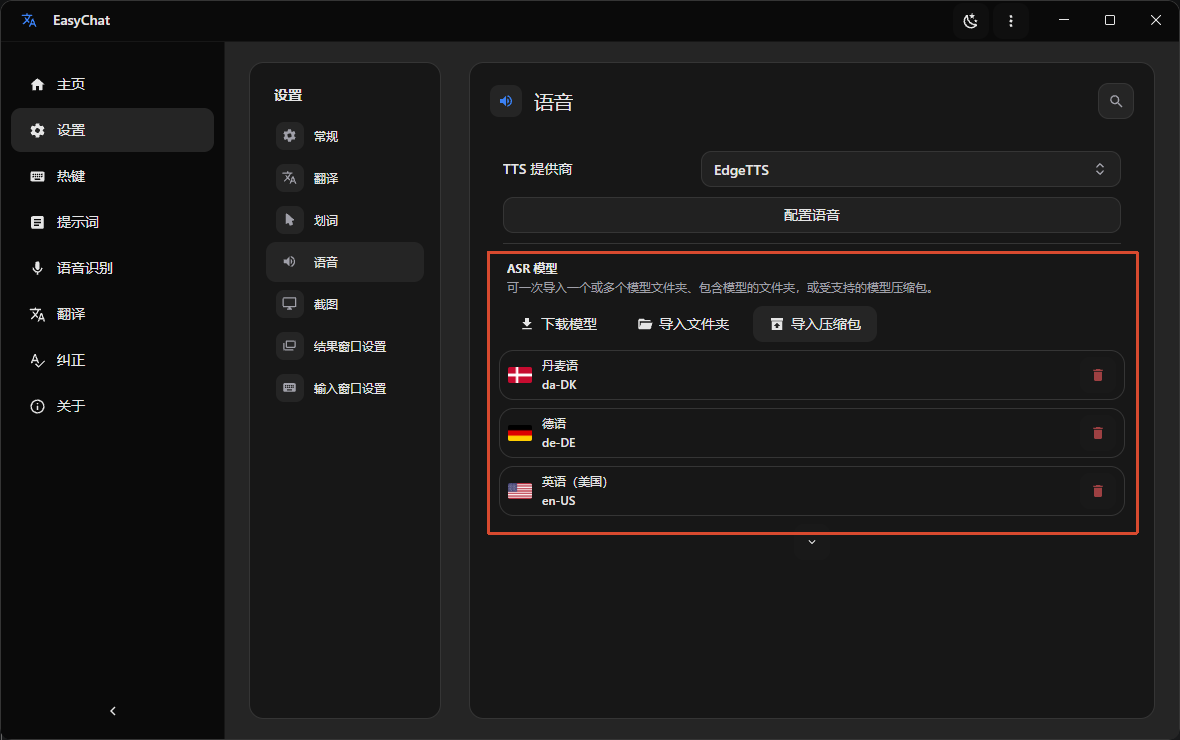
-
Open
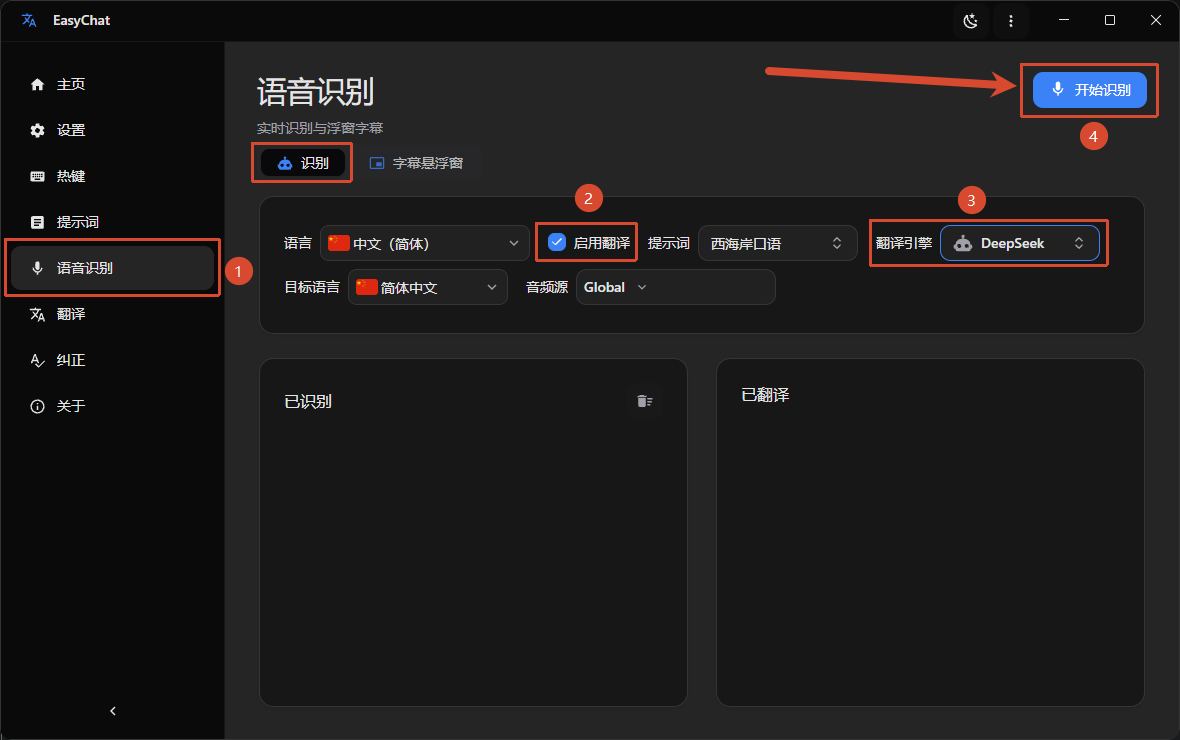
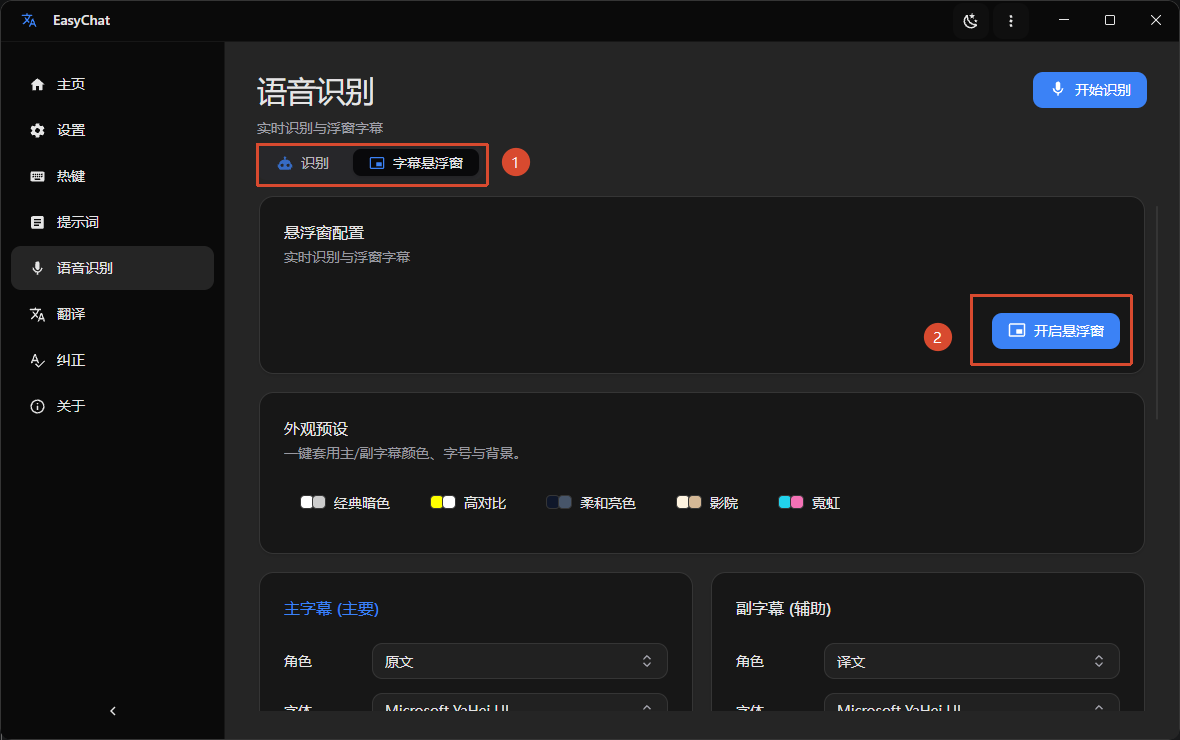
Speech Recognition, choose the audio source and recognition options, and start recognition. Enable theSubtitle Windowto show the original text or translation over other applications.The audio source can be limited to a specific process so sounds from other applications are ignored.
Supported languages
10 recognition languages are supported, each with its own ASR model. Please download the corresponding model before using the feature.
| Language | Code |
|---|---|
| English | en-US |
| Chinese (Simplified) | zh-CN |
| Japanese | ja-JP |
| Korean | ko-KR |
| German | de-DE |
| Danish | da-DK |
| Spanish | es-ES |
| French | fr-FR |
| Italian | it-IT |
| Portuguese | pt-PT |
Use cases
Videos and live streams without subtitles
Follow foreign-language videos and streams with translated subtitles generated from system audio.
International meetings and online classes
Select the meeting application's audio process to receive focused subtitles without interference from other software.
Podcasts and audio-only content
Turn podcasts, audiobooks, and interviews into readable translated text.
Listening practice
Compare spoken language with real-time source or translated subtitles while studying.